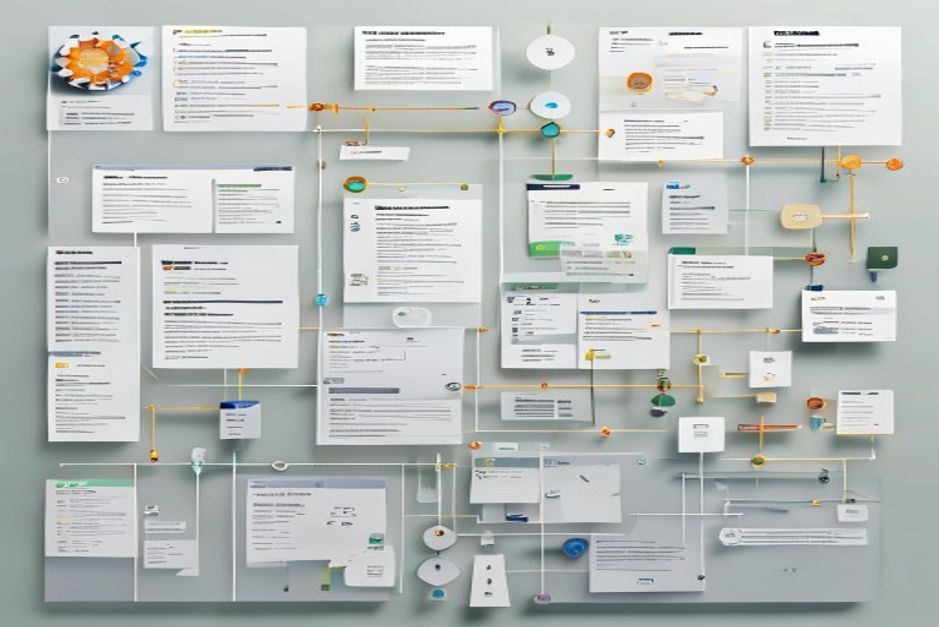

A model registry is the version control system for your trained models. Without one, teams track model versions by filename, store artifacts in ad-hoc cloud storage locations, and discover which model is in production by checking the deployment configuration. This works until someone deploys the wrong model version, nobody can reproduce a past result, or an auditor asks for the lineage of a model that influenced a financial decision.
The temptation when building a model registry is to over-engineer it. Teams evaluate MLflow, Weights & Biases, Neptune, and custom solutions, comparing feature matrices and planning elaborate integration architectures. Meanwhile, the actual problem (knowing which model is which, where it came from, and where it is deployed) remains unsolved.
The minimal viable model registry solves three problems: model identification, model metadata, and deployment tracking. Everything else is optional. You can build a minimal registry in one week using tools you already have. This guide shows you how.
Prerequisites
You need a storage location for model artifacts. An S3 bucket, a GCS bucket, a shared filesystem: any persistent storage that your training pipeline can write to and your serving infrastructure can read from.
You need a metadata store. This can be a database table, a structured file in version control, or even a well-organised spreadsheet. The metadata store is where the registry’s intelligence lives. The artifact storage is just a dumb warehouse.
You need agreement on what metadata to track. The minimum viable metadata set is defined below. If your team cannot agree on what to track, the registry will either track too little (useless) or too much (nobody updates it).
The minimal metadata schema
Every model entry in the registry needs the following fields:
Model identifier. A unique name for the model. Use a consistent naming convention: model-name-version. For example, customer-churn-v3, fraud-detection-v12.
Training data reference. Which dataset was used to train this model? Reference the dataset by a versioned identifier, not a filename. If your data pipeline does not version datasets, add that before building the model registry. An unversioned dataset reference means you cannot reproduce the model.
Training configuration. The hyperparameters, feature set, and training script version used to produce this model. Store this as a structured artifact (YAML, JSON) alongside the model. You do not need a sophisticated experiment tracking system. A configuration file committed to version control is sufficient.
Performance metrics. The evaluation metrics calculated on a held-out test set. Include the metrics that matter for your use case: accuracy, precision, recall, F1, AUC-ROC, latency, or custom domain metrics. Include the test set identifier so you can compare metrics across versions calculated on the same test data.
Artifact location. The storage path where the model artifact is stored. This is the link between the metadata and the actual model file.
Registration timestamp. When the model was registered. This is the creation date for the model entry.
Registered by. Who registered the model. This is usually an automated system, but tracking the human or the pipeline that triggered registration is important for auditability.
Status. The current lifecycle stage: registered (trained and stored), staged (deployed to staging), production (serving live traffic), archived (replaced by a newer version), or deprecated (known to have issues, should not be deployed).
Deployment target. Where the model is deployed: which environment, which service, which endpoint. A model can be deployed to multiple targets. Track all of them.
Implementation: the file-based approach
For teams with fewer than twenty models and fewer than five active model development streams, a file-based registry is sufficient.
Structure the registry as a directory of YAML files, one per model version. Store the directory in version control. The directory structure looks like this:
model-registry/
  customer-churn/
    v1.yaml
    v2.yaml
    v3.yaml
  fraud-detection/
    v1.yaml
    v2.yaml
Each YAML file contains the metadata schema defined above. When a new model is trained, the training pipeline writes the YAML file and opens a pull request. The PR review serves as the approval gate: a second engineer reviews the performance metrics and confirms the model should be registered.
This approach has three advantages: it is version controlled (you can see the full history of the registry), it is reviewable (PRs enforce a review process), and it requires no infrastructure beyond what you already have (version control and a CI pipeline).
The disadvantage is scale. File-based registries become unwieldy above twenty to thirty active models. At that scale, migrate to a database-backed registry.
Implementation: the database-backed approach
For teams with more models or more complex tracking needs, a database table is the next step.
Create a single table with columns matching the metadata schema. Add indexes on model name, status, and deployment target for query performance. Expose the table through a simple API or a lightweight web UI.
The database-backed approach supports more complex queries: show me all models in production, show me the last five versions of a specific model, show me which models were trained on a specific dataset. These queries are difficult with a file-based approach.
Use the database you already have. Do not set up a new database for the model registry. An existing PostgreSQL, MySQL, or even SQLite database works. The model registry is a small table with simple queries. It does not need its own infrastructure.
The lifecycle workflow
The registry tracks models through a defined lifecycle. This workflow is the operational discipline that makes the registry useful.
This diagram requires JavaScript.
Enable JavaScript in your browser to use this feature.
Register. After training, the pipeline creates a registry entry with status “registered” and the full metadata. This is an automated step. The training pipeline writes the entry without human intervention.
Evaluate. The registered model runs against the evaluation test set. If metrics meet the acceptance criteria, status changes to “staged.” If metrics fail, status changes to “archived” with a note explaining the failure.
Stage. The staged model deploys to a staging environment. This is the canary phase where the model processes real traffic without serving results to users.
Promote. After staging validation, the model is promoted to production. Status changes to “production.” The previous production model’s status changes to “archived.” The archiving step is critical. It ensures the registry always reflects which model is currently serving.
Monitor. Production model performance is monitored against the metrics recorded at registration time. If performance degrades below threshold, the monitoring system triggers a retrain or alerts the team.
Deployment tracking
The most important function of the model registry is answering one question: which model version is serving production traffic right now?
This sounds trivial. In practice, teams often cannot answer it quickly. The model might be served by a Kubernetes deployment that references an image tag, a SageMaker endpoint that references a model artifact path, or a custom serving system that loads from a local file. Each deployment mechanism stores the model identifier differently.
The registry must be the single source of truth. When a model is deployed, the deployment system updates the registry entry’s status and deployment target. When a model is rolled back, the registry is updated again. This update must be automated. Manual deployment tracking is the first thing that falls behind.
Implement the update in your deployment pipeline: after the deployment succeeds, call the registry API (or commit the updated YAML file) to record the deployment. After a rollback, update the registry to reflect the rollback.
Auditing and lineage
Model registries become critical during audits. An auditor asks: which model made the decisions that affected these customers during this time period? The registry answers: model customer-churn-v7, trained on dataset customer-data-v12, with these performance metrics, deployed from this date to that date.
For audit readiness, the registry must support historical queries: show me which model version was in production on a specific date. File-based registries support this through version control history. Database-backed registries need a timestamp on status changes: either an audit log table or status change timestamps on the main table.
Lineage tracking connects the model to its inputs: which data, which features, which training code. The minimal registry tracks the training data reference and training configuration. Full lineage tracking (every transformation the data passed through, every feature engineering step) is a larger project. Start with the minimal version and expand when audit requirements demand it.
Common failure modes
Building the registry before you have models to register. A model registry with zero entries is a solution looking for a problem. Train and deploy at least two or three models manually before building the registry. The manual process reveals what metadata you actually need.
Manual updates. If the registry requires a human to manually update status after deployment, it will be outdated within a month. Automate the deployment tracking. Manual registration is acceptable. Manual deployment tracking is not.
No archiving discipline. Models that are replaced in production but not archived in the registry accumulate until nobody knows which entries are current. Enforce archiving as part of the promotion workflow. When a new model is promoted, the old model must be archived in the same operation.
Tracking too much metadata. A registry with fifty fields per entry is a registry nobody updates. Start with the minimum schema defined above. Add fields only when a specific operational or audit need requires them.
No integration with the deployment system. A registry that is disconnected from the deployment system is documentation, not infrastructure. The registry and the deployment system must be linked so that deployment actions automatically update the registry.
Next step
If you have models in production today, inventory them. List every model, its version, where the artifact is stored, and where it is deployed. If you cannot produce this list in under thirty minutes, you need a model registry. Start with the file-based approach: create a YAML file for each model you inventory. This initial population takes a few hours and immediately answers the “which model is in production?” question.